11oz Rhinocoat White Ceramic Mug – 36/Case
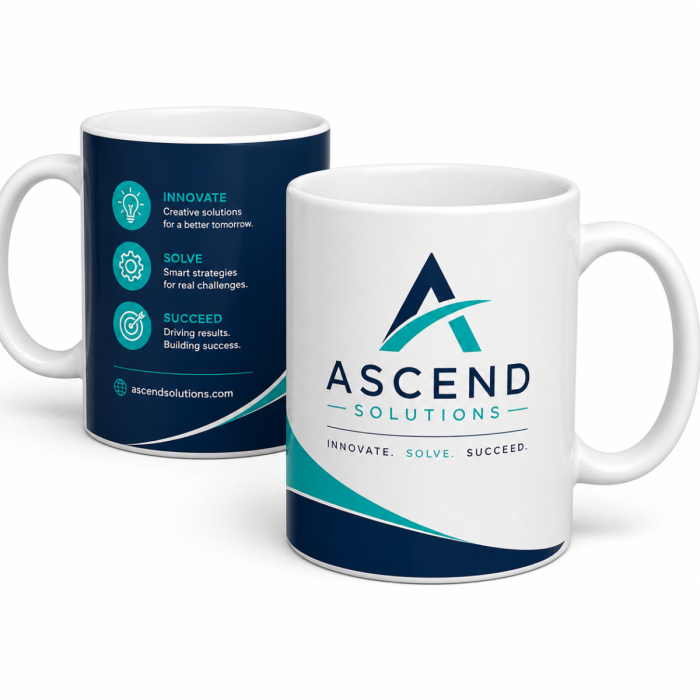
Create vibrant, professional-quality custom drinkware with the 11oz. Rhinocoat White Ceramic Mugs. Featuring premium Rhinocoat® sublimation coating, this classic ceramic mug delivers exceptional color transfer, sharp image reproduction, and long-lasting durability for personalized gifts, promotional products, corporate branding, and retail sales.
Manufactured in Thailand and trusted by sublimation professionals, these mugs are designed to produce brilliant, full-color results while maintaining a smooth, bright white finish that helps artwork stand out.
Whether you're fulfilling customer orders, creating personalized gifts, or expanding your product offerings, these mugs provide the consistent quality your business can rely on.
Features:
- Premium Rhinocoat® sublimation coating
- Bright white ceramic finish for vivid image reproduction
- Excellent color vibrancy and detail retention
- Durable construction for everyday use
- Ideal for personalized gifts, promotional products, and branded merchandise
- Manufactured in Thailand
- Sold in convenient cases of 36 mugs
Specifications:
- Capacity: 11 oz
- Color: White
- Material: Ceramic
- Coating: Rhinocoat® sublimation coating
- Origin: Thailand
- Case Quantity: 36 mugs
4-in-1 Mug Press
Press Temperature: 370°F
Time: 250 Seconds
Pressure: Medium/Firm
- Attach sublimation transfer paper with image printed in reverse to the mug with thermal tape
- Place mug in press at the press temperature, and close the element around it
- Press for the specified time above needed using specified pressure
- If the image begins to look blurry, or burnt brown by over-pressing, decrease time by 15 - 30 seconds
- Once done, remove the mug from the press and remove the transfer paper immediately
- Allow the mug to cool completely before use
GeoKnight DK3
Press Temperature: 400°F
Time: 6 - 7 Minutes (for solid, white, 11oz. mug only)
Pressure: Medium/Firm
- Attach sublimation transfer paper with image printed in reverse to the coffee mug with thermal tape
- Place mug in heat press at the press temperature, and close the element around it
- Press for the specified time above needed using specified pressure
- If the image begins to look blurry, or burnt brown by over-pressing, decrease pressing time by 15 - 30 seconds
- Once done, remove the mug from the press and remove the transfer paper immediately
- Allow the mug to cool completely before use
Mug Master Pro Mug Press
Idle Temperature: 390°F
Press Temperature: 395°F
Time: 180 - 200 Seconds
Pressure: Firm
- Tape the sublimation paper with image printed in reverse to the mug with thermal tape
- When the heat press reaches the idle temperature, you will hear a beeping sound indicating that the machine is ready
- Place the coffee mug in the element and close it by pulling the handle towards you
- Press the green, round button to begin the pressing cycle (temperatures may drop which is normal)
- Once the press temperature is reached, the timer will begin counting down
- When the timer reaches 0, take out the mug from the press and remove the transfer paper immediately
- Allow the mug to cool completely before use
Oven Settings
Press Temperature: 400°F
Time: 12 - 15 Minutes
(test in your oven for accurate time)
- Attach reversed printed image to mug with thermal tape
- Wrap silicone wrap around mug surface and clasp at handle
- Place in oven preheated to 400°F for approximately 12 - 15 minutes (test to determine best timing!)
- Afterwards, remove wrap and transfer immediately
- Allow the mug to cool completely before use
| Manufacturer | Coastal |
|---|---|
| Print Applications | Dye-Sublimation, Heat Transfer Paper, Direct-to-Film (DTF) |
| Finish | Gloss |
| Color | White |
| Substrate Material | Ceramic |






-
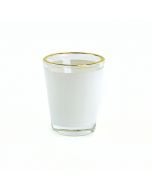 OVERSTOCK - Clear Sublimation Shot Glass with Gold Trim and Printable White Area - 1.5oz (144/case)Special Price $200.00 Regular Price $212.45
 -
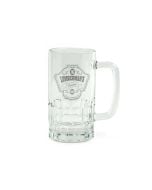 OVERSTOCK - Clear Glass Sublimation Beer Stein - 16oz. (24/case)Special Price $80.00 Regular Price $165.95
 -
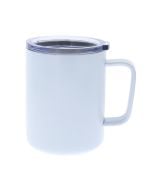 CLEARANCE - White Stainless Steel Sublimation Coffee Mug with Lid - 10oz. (24/case)Special Price $240.00 Regular Price $265.45