Heat Transfer Paper

Order Online or Call 1-800-562-7760 


Transfer Paper


You can create your own custom clothing with absolutely no sewing skills. Decorate t-shirts, canvas bags, and other fabric items with heat transfer paper that you design yourself and print from your desktop.

What you need
There are kits available that give you everything you need, including software and a t-shirt, or you can assemble your own materials. Whichever route you go, here's what you'll need for the typical iron-on style of transfer:

-Software
-Artwork
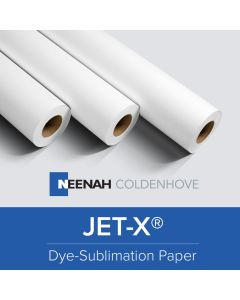
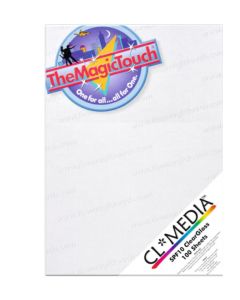
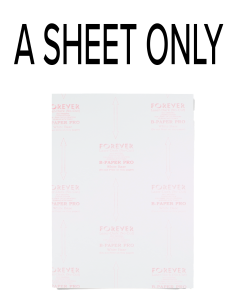
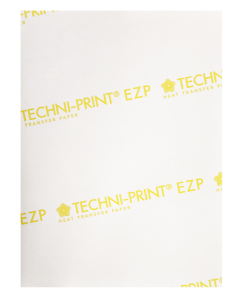
-Heat Transfer paper
-Printer
-Heat transfer press
-Hard surface (if using an iron)
-Pillowcase or other fabric (if using an iron)
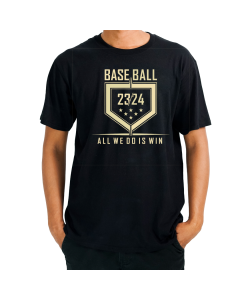
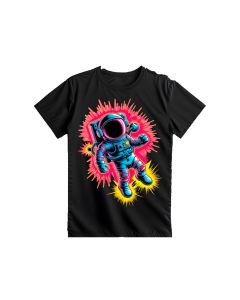
-T-shirt or other item to receive transfer.

When the instructions say you need a HOT iron, they mean it, that's why we recommend using a heat press. Here are tips and explanations based on our experience with creating and applying heat transfers.

Always, always, always print a preview copy of your image before printing it on the (expensive) transfer paper. Do this to insure that colors print correctly, that your image doesn't fall into your printer's no-print zone along the margins, and to see what size your design will be (sometimes the on-screen view can be deceiving).

Don't forget to flip or mirror your image. This is especially critical if you have text in your design. The text should be backwards on screen or on the print out. (Another good reason to print a preview copy first!) Some programs do this automatically.

Transfer paper has stripes or some sort of design on the non-printing side. Be sure to put the paper in your printer so that it prints on the clean white side. In designing your artwork remember that WHITE does not print. The fabric will show through any parts of the design that are white. For example, if you print a white ghost on plaid fabric — you'll get a plaid ghost! Plan your design accordingly. As with any desktop publishing project, consider the background color when selecting colors for your designs.

Test your design on “scratch fabric” before applying it to your final t-shirt or other fabric. Some types of fabric may require more heat & pressure than others or may not show off your design as well as you expected.

A heat transfer consists of an image printed in reverse (i.e. mirrored) and applied to a piece of high release transfer paper. The image is usually printed onto the paper with plastisol inks which have the characteristics of being flexible enough for stretching and durable enough for wearability, but normal inks will also work just fine. The transfer is typically used for decorative purposes and applied to garments, mugs, mouse pads, and other surfaces. The image is applied to these items using a heat press machine which uses high temperature (typically 375 degrees Fahrenheit) and pressure to transfer the ink from the paper to the garment. The process of transferring an image from the paper to the garment typically takes typically 15-20 seconds and does not require a drying or curing process once applied. Transfer paper is available in a variety of sizes, processes, and colors. Most transfer paper produced today is known as hot split transfers where the ink splits between the transfer paper and garment when heated.

You can use almost any graphics or creative printing program to design transfer artwork. Ideally the program will have an option to flip or reverse the image for transfer printing or you can manually flip the image in the document. However, there are some programs designed specifically for creating personalized t-shirt designs and similar projects.

The heart of your t-shirt design is the image. You can create original artwork from scratch, customize canned clip art, or use ready-made designs.

Iron-on Transfers

For iron-on transfers use your iron's hottest setting but no steam. It takes a lot of heat to transfer the image evenly and completely to the fabric. Peel off the paper while it is still hot.

The reason transfer instructions specify a hard surface (such as formica) is because it holds the heat. Ironing boards tend to disperse the heat and the transfer paper needs to be very hot to work properly.

Heat Presses

A heat press is the machine that presses a transfer onto an imprintable substrate. Using high temperatures and heavy pressures for a certain amount of time, the transfer is permanently embedded into the product. Heat presses are recommended for professional and satisfying results simply because standard laminating devices and home hand irons can not get even near the temperatures required for a reliable transfer. Standard transfers require anywhere from 375 to 425 degrees F and demand serious force in pressing, often from 40-80 psi. These temperatures and pressures are simply not possible with other heated devices.

Items that can be heat pressed...

The following are some of the far more common items often heat pressed. The list by no means ends here. T-Shirts, Caps, Ceramic Plates, Ceramic Tiles, Mugs, Mouse Pads, Paper Memo Cubes, Tote Bags, Jigsaw Puzzles, Lettering, Numbers, Rhinestones/Crystals, Wood / Metals Other Misc. Fabrics & Materials .

Using Transfers vs. Direct Printed Garments

With the improvements in technology used to produce heat transfers, it is virtually impossible to tell the difference between a garment printed directly with a screen printing press and one printed using heat transfer paper. In most cases, the heat transfer paper has a soft feel and is as durable. The advantage to using transfers lies in your ability to run your business with limited inventory. Because you don't typically print the shirt until it's sold, you can offer hundreds (even thousands) of designs to your customers just by keeping minimal stock of the transfers which cost considerably less than a pre-printed shirt. Imagine if you wanted to offer 300 different shirts to your customers. If you carried pre-printed garments, you would have to inventory each design in a minimum of four sizes and keep on hand at least 2-3 pieces of every size. That amounts to inventorying over 3600 shirts. For most small business, this is not realistic. To carry the same 300 designs using heat transfers you would only have to inventory four sizes of blank garments and 2-3 pieces of each design. This is a more realistic scenario for most small business owners.
Heat Transfer Paper
Heat Transfer Paper Instructions
Heat Presses


- We want your business, let us impress you with our service today! -
Copyright © 2007 Coastal Business Supplies, Inc.
Heat Transfer Paper