
Sawgrass SG500 vs SG1000: Which Printer to Choose?
Understanding the Basics of Sawgrass Sublimation Printers
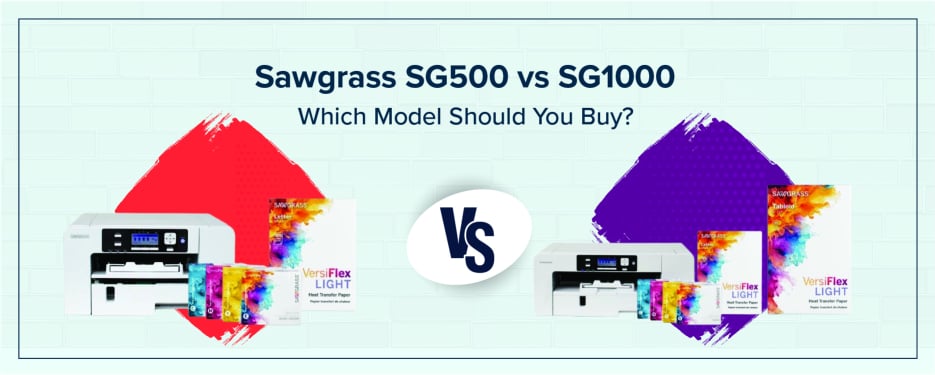
Sublimation printing uses heat to transfer dye onto polyester or polymer-coated surfaces, creating vibrant, permanent designs. In this Sawgrass SG500 vs SG1000 comparison, both models are desktop dye-sublimation printers powered by the same Sawgrass SubliJet UHD ink system, software, and core print engine—meaning performance is consistent across both machines.
The key difference is size, capacity, and scalability, not print quality.
Key Technical Differences – Print Size, Format & Capacity
SG500 vs SG1000 Print Size
Understanding SG500 vs SG1000 differences starts with media size:
SG500:
-
Standard tray: up to 8.5″ × 14″
-
Bypass tray: up to 8.5″ × 51″
SG1000:
-
Standard tray: up to 11″ × 17″
-
Optional bypass: up to 13″ × 19″ (or longer formats)
If you need larger apparel prints or signage, the SG1000 offers significantly more flexibility.
Print Quality, Resolution & Technology
Both printers deliver:
-
Resolution: 4880 × 1200 dpi
-
Ink system: SubliJet UHD / VersiFlex
-
Output: Professional, vibrant color sublimation
When comparing the best Sawgrass sublimation printer, it’s important to note that print quality is identical. Print size and capacity are the only real differences.
Footprint, Workspace & Investment
SG500:
-
Compact footprint (ideal for desktops)
-
Lower upfront cost
-
Suitable for entry-level sublimation setups
SG1000:
-
Slightly larger footprint
-
Higher investment (around $1,700+)
-
Designed for growing production environments
If you have limited space, the SG500 is a strong choice. If you anticipate growth, the SG1000 is the better long-term investment.
Business Use Cases – Which Model for Which Application?
SG500: Ideal for Small Business, Crafts & Personalization
The SG500 is often the best Sawgrass sublimation printer for beginners and small-scale operations.
Common applications:
-
Custom mugs
-
Phone cases
-
Small apparel designs
-
Etsy shops and side businesses
This model is well-suited for low-volume, high-margin personalized products.
SG1000: Ideal for Scaling Production, Apparel & Large Format
When comparing Sawgrass SG500 vs SG1000 for apparel work, the SG1000 provides more flexibility.
Best for:
-
T-shirts and hoodies
-
Blankets and textiles
-
Large photo panels
-
Signage and promotional items
It is built for higher volume production and larger format sublimation.
Cost of Ownership & ROI
|
Factor |
SG500 |
SG1000 |
|
Initial Cost |
Lower (~$600–$800) |
Higher (~$1,700+) |
|
Monthly Revenue Potential |
$2K–$8K |
$8K–$25K+ |
|
Ideal Use |
Small business |
Scaling production |
Your return on investment depends on product mix, pricing strategy, and production volume.
(*Data when looking at trending information across many platforms.)
Key Features & Shared Strengths
Both models include:
-
SubliJet UHD ink system / VersiFlex
-
Sawgrass Print Utility and MyDesignTool
-
Automatic self-maintenance
-
WiFi connectivity
-
Ultra Fine Photo mode
-
3 year warranty and lifetime support
These shared features make both printers reliable options.
SG500 vs SG1000 – Side-by-Side Comparison
|
Feature |
SG500 |
SG1000 |
|
Max Print Size |
8.5″ × 14″ |
11″ × 17″ |
|
Bypass Size |
8.5″ × 51″ |
13″ × 19″+ |
|
Footprint |
Compact |
Medium |
|
Price |
Lower |
Higher |
|
Best For |
Beginners |
Growing businesses |
|
Output Quality |
Same |
Same |
How to Choose – Decision Guide
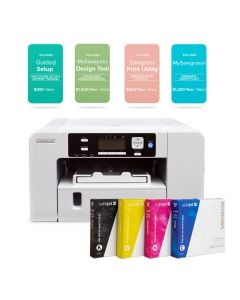
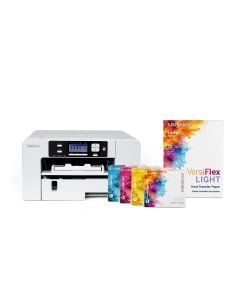
Choose SG500 if:
-
You are starting out
-
You have limited space
-
You focus on smaller products
Choose SG1000 if:
-
You plan to scale your business
-
You want to print apparel
-
You need larger format capabilities
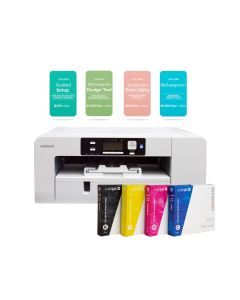
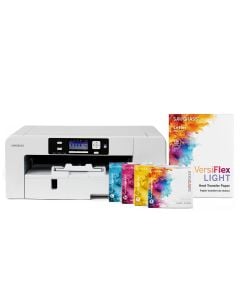
If growth and flexibility are priorities, the SG1000 is the better choice.
Common Misconceptions & What to Avoid
-
The SG1000 does not produce better print quality; both models use the same print engine.
-
The SG500 can support growth, but is limited by print size.
-
Many users overlook the importance of bypass trays for expanded media sizes.
-
Workspace and equipment sizing are often underestimated.
Maintenance, Consumables & Support
Ink and Paper Costs
-
SubliJet UHD/VersiFlex cartridges (20ml starter and 31ml standard)
-
Sublimation paper is required for best results
Maintenance
-
Automatic cleaning cycles reduce downtime
-
Minimal daily upkeep required
Support
-
Lifetime technical support
-
Manufacturer warranty included
Verdict: Which One Should You Buy?
In the Sawgrass SG500 vs SG1000 decision, the right choice depends on your goals.
Choose the SG500 if you are starting small and want a cost-effective entry point. Choose the SG1000 if you plan to scale, expand into apparel, or need larger print capabilities.
Explore your options:
-
https://www.coastalbusiness.com/printers/desktop-printers/sawgrass-sublimation-printer.html
Conclusion
Both the SG500 and SG1000 are reliable sublimation printers designed to deliver professional results. The difference is not quality, but capacity and flexibility. Choosing the right printer depends on your workspace, budget, and long-term business goals. If you found this Sawgrass printer comparison helpful, consider saving or sharing it as you plan your next step.
FAQs About Sawgrass SG500 vs SG1000
Can I use non-Sawgrass inks?
Answer: No, using non-approved inks may void your warranty and reduce print quality.
What size heat press do I need for SG1000?
Answer: A 16″ × 20″ press or larger is recommended for full-size prints.
Does SG500 support large formats without a bypass tray?
Answer: No, larger formats require the optional bypass tray.
Will the print head clog if unused?
Answer: Both models include automatic maintenance to reduce clogging risk. Print must be turned on and with ink installed and full.
Is SG500 revenue potential realistic?
Answer: Revenue depends on production volume, pricing, and marketing, but it is achievable with consistent effort.



0 Comments
Leave a Comment