
Heat Press Machine for T Shirts: Startup Guide 2026

From Hobby to Hustle: Starting a Custom T-Shirt Business with a Heat Press Machine
If you’ve ever thought, “I could totally sell my shirt designs,” you’re not alone. A heat press machine for t shirts is often the first real investment that turns hobby printing into a side hustle or a full-on business.
This guide covers everything you need to pick your first press, nail your first prints, and start making money fast.
What you’ll get here:
- A plain-English breakdown of heat press types and sizes
- Real startup cost math and pricing tips
- Pro pressing settings (time, temp, pressure)
- Mistake-proofing and scaling insights for beginners
What Is a T-Shirt Heat Press Machine?
A t-shirt heat press machine uses a combination of heat, time, and pressure to permanently transfer designs—like vinyl, screen prints, or DTF transfers—onto fabric. It’s the heart of any modern T-shirt business.
How a Heat Press Works (Heat, Time, Pressure)
You’ll find three main press designs:
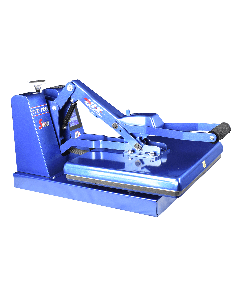
- Clamshell: Hinged like a waffle iron; compact, affordable, great for beginners.
- Swing-Away: Top platen swings to the side; safer for thick items and even pressure.
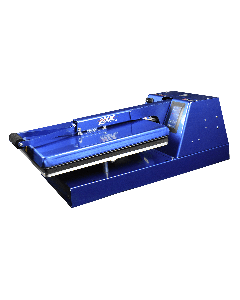
- Draw Press: Pull-out lower platen for better layout control.
Common platen sizes:
- 15×15” — Standard for adult tees
- 16×20” — Better for hoodies and oversized prints
“Even heat” simply means consistent temperature from edge to edge, crucial for full prints.
Transfer Methods You Can Run on a Press
You can use several decorating methods on a single heat press. Each has different costs, finishes, and learning curves.
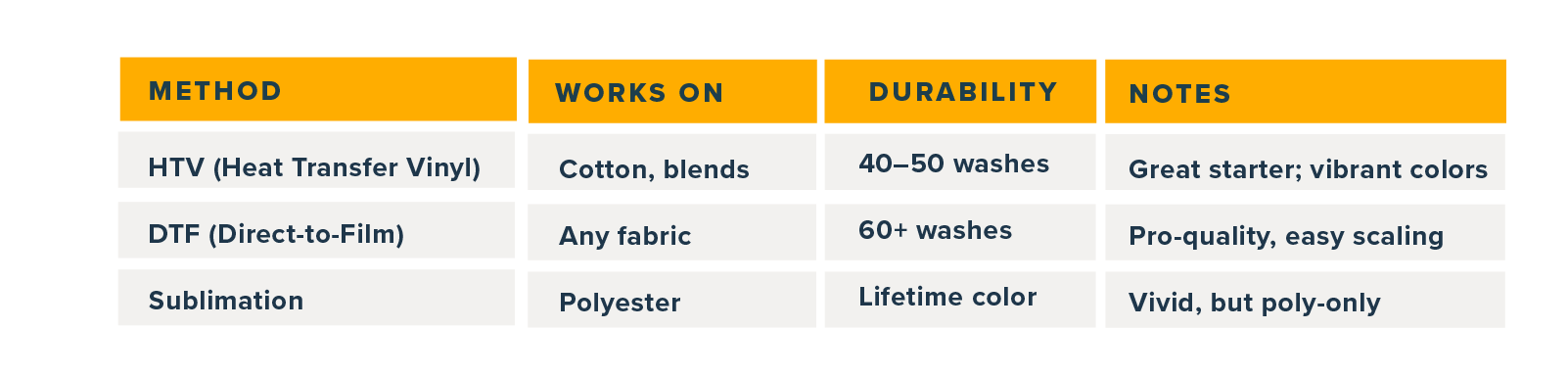
Heat Press Machine for T Shirts — Which Type Fits Your Goals
Manual vs Automatic Heat Press (Pros, Cons, Costs)
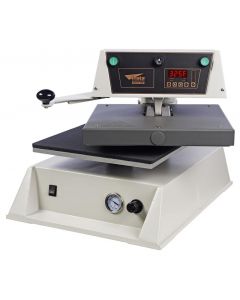
Manual presses are cheaper and hands-on; automatic heat press models add consistency and convenience.

Use an automatic heat press when you’re pressing 50+ shirts per session or running multiple orders daily. It saves wrists and reprints.
T Shirt Heat Press Machine Sizes & Power
Choose your press size based on order volume and shirt type:
- 15×15” Heat Press — Most versatile, great for adult tees
- 16×20” Heat Press — Better for sweatshirts, hoodies, and oversized prints
Watch for:
- Power draw: 1,200–1,800W typical
- Pressure: Manual knob or digital control
- Warm-up time: 10–20 minutes
Safety & Quality Checks
Look for:
- ETL/UL certification (electrical safety)
- Auto shut-off & even-heat guarantee
- 1-year+ warranty & support access
Step-by-Step — Pressing Your First Shirt (With Pro Settings)
Step 1: Pre-Press & Garment Prep
- Lint roll the shirt
- Pre-press for 3–5 seconds to remove moisture and wrinkles
Step 2: Temperature, Time & Pressure
Refer to official heat press temperature chart for your transfer type:

Step 3: Peeling & Finishing
Follow your transfer instructions exactly: hot peel (immediate), warm peel (wait 5 sec), or cold peel (cool fully).
Avoid scorching by reducing dwell time or layering parchment/Teflon.
Automatic Heat Press Advantages When You Start Scaling
Consistency, Throughput & Lower Misprints
Auto-release heat press units improve:
- Consistent platen pressure across runs
- Fewer misprints (no under/over press)
- Faster batching
- Operator safety (hands-free operation)
As seen in 2025 “best heat press” lists, automation helps keep quality consistent when scaling production.
Who Should (and Shouldn’t) Upgrade
If you’re pressing over 100 shirts per week or managing rush orders, automation pays for itself in months.
ROI Mini Calculator:
(Avg. profit per shirt × weekly orders) ÷ press cost = break-even weeks
Example: $8 profit × 100 shirts ÷ $1,200 = 15 weeks to ROI.
Business Plan Lite, Costs, Pricing & Profit for Heat-Press Tees
Startup Kit Checklist
You’ll need:
- Heat press
- Transfers (HTV, DTF, or sublimation)
- Blank tees
- Teflon or parchment sheets
- Heat-resistant tape
- Weeding tools
- Cooling rack
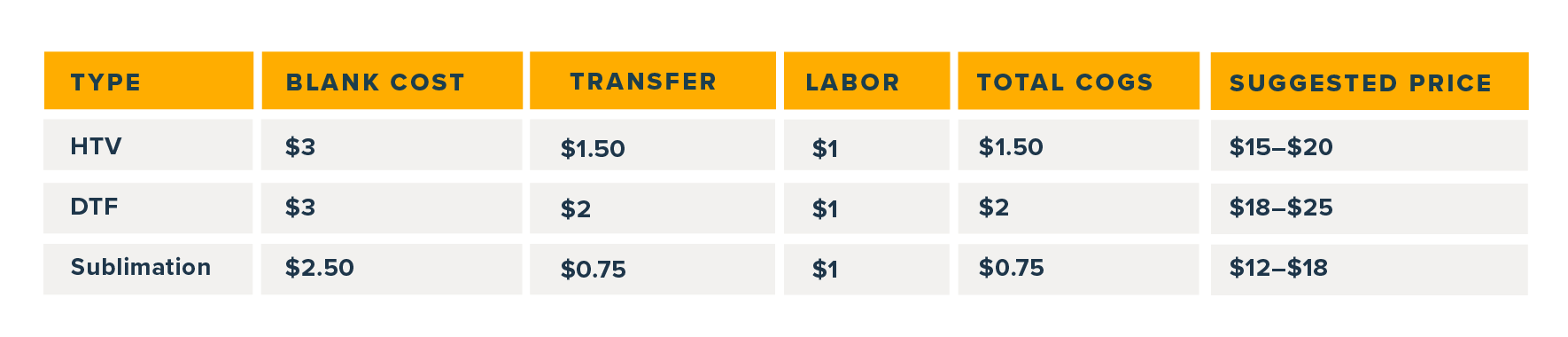
Unit Economics
Pricing Frameworks
- Keystone markup (2× COGS) = Base price
- Add +$3–$5 for rush or extra placements
Download your Custom Tee Profit Checklist from Coastal to track costs and margins.
Heat Transfer vs Sublimation vs DTF, What Should You Offer?

Which lasts longer? DTF transfers usually outlast HTV and can rival sublimation for longevity.
Gear Shortlist, Beginner-Friendly T Shirt Heat Press Machine Picks
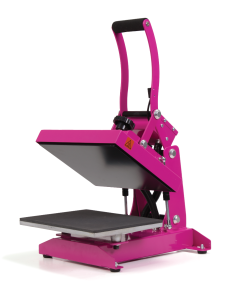
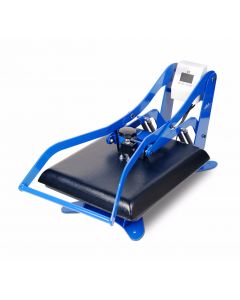
Budget Manual Clamshell
Size: 15×15
Temp Range: 0–400°F
Pressure: Manual knob
Warranty: 1 year
Best For: Starters under $500
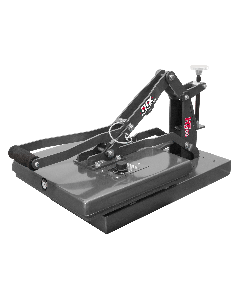

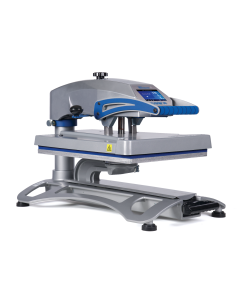
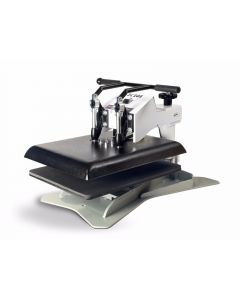
Mid-Range Swing-Away
Size: 16×20
Temp Range: 0–420°F
Pressure: Digital
Warranty: 1 year+
Best For: Mixed garments and high precision
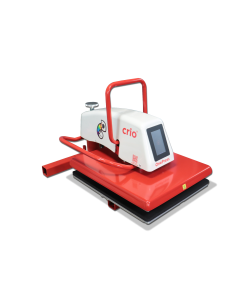
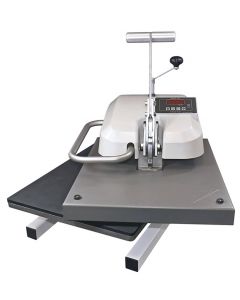
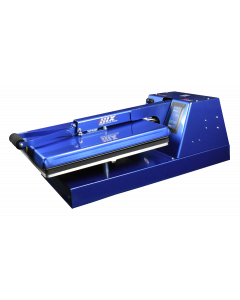
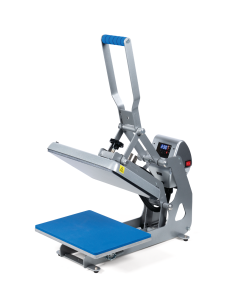
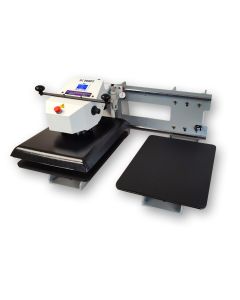
Automatic Heat Press
Size: 15×15
Temp Range: 0–450°F
Pressure: Digital memory
Warranty: 2 years+
Best For: Batch pressing, small business scaling

Operations — Workflow, Quality Control & Safety
Layout & Throughput
Set up a workspace with:
- Staging area for blanks
- Press zone for transfers
- Cooling rack for finished shirts
Q: How do I reduce downtime?
A: Pre-stage designs and pre-press garments while the machine heats up.
Quality Checks
Test one shirt per batch; ensure:
- Centered alignment
- Even pressure imprint
- Successful wash test
Q: How do I test durability?
A: Wash sample tees 3× before shipping large orders.
Safety
Use heat gloves, keep cords clear, and ensure ventilation for long sessions.
Marketing Your Heat-Pressed Tees (Local SEO + Social)
GEO Strategy
Create a Google Business Profile with “Custom T-shirts Near Me” and local tags.
Add your turnaround times and photos of prints.
Social Proof Flywheel
Film short videos showing the pressing process. Customers love “how it’s made” reels—it builds credibility fast.
Niche-First Approach
Start with teams, clubs, or events. Offer fast turnaround and minimum order perks.
Common Heat Press Issues & Quick Fixes
- Peeling/Cracking: Not enough pressure or too short a press. Re-press with correct pressure settings.
- Incomplete Transfer: Increase time or temperature slightly.
- Scorch Marks: Lower heat or use a Teflon sheet.
- Ghosting: Design shifted; tape edges firmly or use a draw press.
For more fixes, see Transfer Express Heat Press Guide.
Your First 50 Shirts Plan:
- Pick your press (manual vs automatic).
- Master one transfer method (HTV or DTF).
- Price smart and reinvest profits.
- Track each job for quality consistency.
- Promote locally and online.
Your first 50 shirts will teach you more than 50 YouTube videos. Ready to start?
Shop Coastal’s curated heat press bundles and starter kits
FAQs
- What size heat press is best for T-shirts?
A 15×15 covers most adult shirts; upgrade to a 16×20 for hoodies and oversized designs. - Is an automatic heat press worth it for beginners?
Yes, if you want consistent pressure and hands-free operation. Otherwise, start manual until you reach ~100 shirts per week. - Can I use a heat press for sublimation on cotton?
True sublimation only works on polyester. For cotton, use DTF or HTV. - What temperature and time should I use for HTV?
Around 305°F for 10–15 seconds, depending on the vinyl. Check Cricut’s official chart. - Do I need parchment or a Teflon sheet?
Yes. It protects your platen and keeps transfers from sticking or scorching.



0 Comments
Leave a Comment