
Master Sublimation Printing: Fix Ghosting & Bleeding Like a Pro
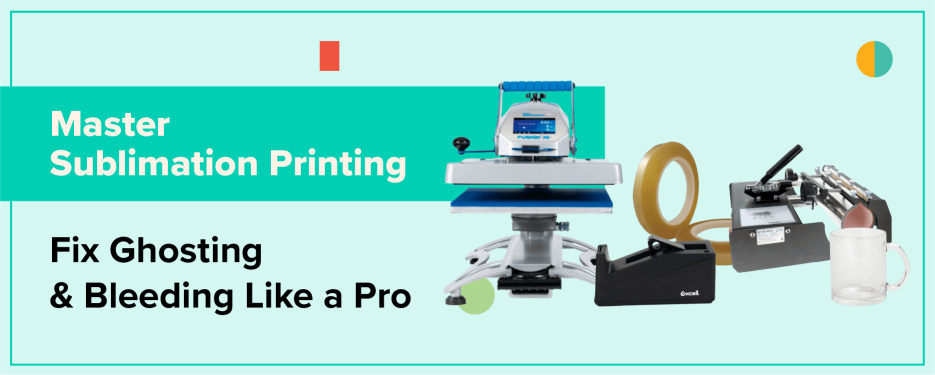
Sublimation printing is beloved for its ability to produce vibrant, permanent designs that won’t crack, peel, or fade, but even seasoned pros can run into challenges. Two of the most common (and frustrating) issues are sublimation bleeding and ghosting. These printing gremlins can turn a crisp, detailed image into a smudged or shadowy disappointment.
In this comprehensive guide, we’ll uncover why these problems occur, how to fix them like a pro, and how to prevent them from ruining your next sublimation project. Whether you’re pressing mugs, shirts, or metal panels, you’ll walk away with actionable steps to perfect your process and boost your sublimation print quality.
Latest Insights in Sublimation Printing
Before diving into fixes, let’s explore the latest trends shaping the sublimation industry.
- Advancements in Heat Press Technology
Modern heat presses now offer digital controls for temperature, pressure, and time, which drastically reduce human error. These machines ensure consistent heat distribution, one of the biggest factors in eliminating sublimation transfer issues.
- Eco-Friendly Sublimation Inks
Manufacturers are turning toward eco-conscious sublimation inks that maintain rich color vibrancy while minimizing waste and emissions. These new inks are more stable, meaning fewer cases of ink smudging and oversaturation.
- Emerging Substrates
From treated wood to coated leather and even specialty ceramics, new sublimation-compatible materials expand creative possibilities. However, each substrate absorbs ink differently, making correct calibration critical to avoid bleeding.
Understanding Sublimation Bleeding and Ghosting
Sublimation bleeding occurs when ink spreads beyond its intended boundaries, creating a fuzzy, smudged appearance. It’s often the result of too much ink, excessive heat, or moisture.
Ghosting, on the other hand, appears as a faint duplicate or shadow image. This happens when the transfer paper shifts or lifts during pressing, allowing sublimation ink to re-transfer in unintended areas.
Understanding these two issues is the first step toward flawless sublimation printing.
Causes of Sublimation Bleeding
Bleeding doesn’t just happen by chance it’s the result of specific controllable variables.
Excessive Ink Saturation
Too much ink is a recipe for disaster. Sublimation inks are designed to turn into gas when heated, but if your printer lays down too much, it overwhelms the coating on your substrate.
Pro Tip: Always use printer profiles optimized for sublimation, not standard office printing. Adjust color density in your RIP or print driver to avoid over-saturation.
Incorrect Heat Press Settings
High temperatures or extended press times can cause ink to gas excessively, spreading beyond the design edges.
Check your manufacturer’s recommended settings for time, temperature, and pressure and remember, “more” isn’t always better.
Inadequate Substrate Preparation
Even tiny amounts of moisture or oil residue on your blanks can cause ink to migrate unpredictably. Pre-press garments and substrates for 5–10 seconds to remove moisture, and always handle items with clean, lint-free gloves.
Causes of Sublimation Ghosting
Ghosting can be even more frustrating than bleeding because it often shows up after an otherwise perfect press.
Movement During Transfer
If your transfer paper shifts during pressing or worse, when you lift the press it can reapply the ink in a slightly different spot, creating a double image.
Secure your transfer paper with heat-resistant tape or a light spray of adhesive designed for sublimation.
Rapid Heat Press Opening
Opening your press too quickly can cause a sudden suction effect, pulling the paper off the substrate and back again. The result? A pale “ghost” of your original print.
To avoid this, release your press slowly and smoothly, allowing gases to settle before removing the transfer.
Inconsistent Pressure Application
Uneven pressure across your platen leads to inconsistent transfers, especially on thicker items like coasters or plaques. Check your press for alignment and apply even pressure to prevent misregistration and image shadows.
Preventative Measures for Sublimation Bleeding
The best way to fix sublimation bleeding is to stop it before it starts.
Optimize Printer Settings
Use ICC profiles and color management software specific to your printer and ink. Adjust your print settings to reduce ink density, especially for porous substrates like fabric.
Calibrate Heat Press Parameters
Perform a monthly calibration to ensure your press maintains consistent temperature. Uneven or inaccurate heat can cause unpredictable results.
Proper Substrate Handling
Store blanks in a climate-controlled, low-humidity environment. Substrates exposed to moisture can absorb ink unevenly, resulting in bleeding and dull colors.
Preventative Measures for Sublimation Ghosting
Preventing ghosting comes down to stability and patience.
Secure Transfer Paper Firmly
Apply heat-resistant tape at multiple points to anchor your paper. For soft goods like shirts, consider using repositionable adhesive sprays to keep transfers flat.
Implement Controlled Press Opening Techniques
Wait a few seconds after pressing before lifting the platen. This allows gasses to dissipate and minimizes sudden air movement.
Ensure Even Pressure Distribution
Check your heat press’s alignment regularly. If the pressure is uneven, adjust the platen screws or replace worn pads to achieve uniform contact.
Troubleshooting Common Sublimation Issues
Even with the best practices, mistakes happen. Here’s how to troubleshoot efficiently.
Diagnosing Bleeding Problems
Ask yourself:
- Did I recently change my ink or paper brand?
- Was my substrate pre-pressed?
- Is my humidity level too high?
Bleeding often points to an ink or environment issue, so start there before changing your settings.
Addressing Ghosting Challenges
If ghosting appears, examine your setup:
- Is your transfer paper secure?
- Are you opening the press too fast?
- Was the substrate still hot when removed?
Ghosting thrives on movement and temperature shock, so focus on stability.
Advanced Tips for Professional-Quality Sublimation Prints
Take your sublimation game from “good” to “gallery-worthy” with these pro tips.
Regular Equipment Maintenance
Dust, lint, or ink buildup can cause irregular transfers. Clean your heat press platen and printer heads regularly. Schedule preventive maintenance checks to keep performance consistent.
Continuous Learning and Adaptation
The sublimation industry evolves fast. Follow manufacturer blogs, join forums, and test new materials. Staying informed helps you adapt your workflow to new products and avoid outdated habits.
Experimentation with Materials
Not all substrates perform equally. Experiment with different coatings, papers, and tapes to discover your ideal setup. Keep notes your future self will thank you.
Mastering sublimation printing isn’t about avoiding mistakes altogether, it's about understanding them deeply enough to control the outcome. By learning the causes of sublimation bleeding and ghosting, refining your press settings, and maintaining your equipment, you’ll achieve professional-grade, flawless prints every time.
When you eliminate bleeding and ghosting, your designs truly shine with crisp lines, bold colors, and lasting durability that sets your work apart.
FAQs
- What is the primary cause of sublimation bleeding?
Answer: Excessive ink saturation and incorrect heat press settings are the top culprits. Always check your printer and press parameters first. - How can I prevent ghosting during sublimation?
Answer: Secure your transfer paper firmly with heat-resistant tape and open your heat press slowly to prevent shifts. - Does substrate material affect the likelihood of bleeding?
Answer: Yes. Different materials absorb ink at different rates. Test your substrates and adjust settings accordingly. - Can moisture in substrates lead to sublimation issues?
Answer: Absolutely. Moisture can cause both bleeding and ghosting. Pre-press your blanks to eliminate trapped humidity.



0 Comments
Leave a Comment