
Heat Transfer Paper for T-Shirt Printing - Inkjet and Laser Edition
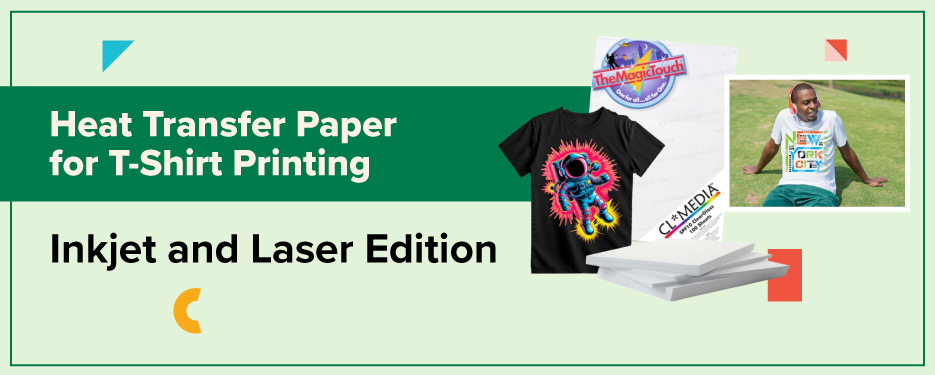
If you’ve ever admired a vibrant, custom-printed t-shirt and wondered how it was made, the answer is often heat transfer paper. This simple yet powerful tool allows anyone, from hobbyists to small business owners, to create professional-quality designs on apparel.
Using heat transfer paper for t-shirts is one of the most accessible ways to bring creative ideas to life. Whether you want to launch your own t-shirt line, design custom gifts, or experiment with DIY apparel printing, understanding how to choose and use the right transfer paper is key.
Let’s explore how this technology works, what types of paper you can use, and how to achieve long-lasting, high-quality prints right from home.
Understanding Heat Transfer Paper
What Is a Heat Transfer Paper?
Heat transfer paper for t shirts is a special type of paper coated with a polymer film that allows you to transfer printed designs directly onto fabric using heat and pressure. It acts as a carrier for your design. Once you apply heat with a press or iron, the ink fuses to the shirt fibers, creating a lasting image.
This technique is ideal for beginners and professionals alike because it doesn’t require screen printing setups or expensive machinery. With t-shirt transfer paper, you can produce everything from single prints to short production runs.
Printable T-shirt transfers work with standard inkjet or laser printers, making the process convenient and affordable for anyone looking to customize apparel.
Types of Heat Transfer Paper
Choosing the right transfer paper for T-shirts depends on your fabric color, printer type, and design style. Here are the main types:
- Inkjet Transfer Paper: This paper is designed for inkjet printers and is fantastic for getting vibrant colors and high-quality photo prints using liquid ink.
- Laser Printer T-Shirt Transfer Paper: Used with a laser printer, this paper is great for high-volume. The toner-based image is durable, offering excellent wash fastness and a clean, professional result for text and intricate details.
Each paper type serves a specific purpose, so it’s important to match your materials with your printer and desired finish.
Choosing the Right Heat Transfer Paper
Factors to Consider
Selecting the right heat transfer paper for T-shirts comes down to a few key factors:
- Fabric Type: Cotton, polyester, and blends all react differently to heat. Make sure your paper is designed for the fabric you’re printing on.
- Printer Compatibility: Always check whether the paper works with inkjet or laser printers. Using the wrong one can led to poor adhesion, printing errors, or color fading.
- Color of Garment: Choose light or dark transfer paper depending on your shirt color.
- Finish: Do you prefer a matte, glossy, or soft-touch result? Each type of transfer paper creates a unique look and feel. Post pressing heat transfers with a T.Seal or parchment paper also creates a matte finish and makes the print more durable.
- Durability: Look for papers that can withstand multiple washes without cracking or fading.
- At CoastalBusiness.com, you’ll find a variety of laser printer t-shirt transfer papers and inkjet options, each designed for professional results on different fabric types.
Top Brands and Products

Some of the most trusted names in heat transfer paper include:
- Forever Laser-Dark - Ideal for use with laser printers, producing extremely vibrant and durable prints for light and dark garments alike.
- TheMagicTouch T.One – Great for light colored garments, very easy to use without the need to marry A & B sheets.
- Jet-Pro SoftStretch - Popular inkjet paper for light garments with a soft hand feel after pressing.
- 3G Jet Opaque – Soft, vibrant and durable inkjet paper, meant for black and colored cotton fabrics.
These products are widely available through reputable retailers and online marketplaces. At Coastal Business, you can find many of these same papers, plus expert guidance to help you choose the right one for your projects.
How to Use Heat Transfer Paper
Step-by-Step Guide
Follow these simple steps to create your first custom T-shirt using heat transfer paper for T-shirts:
- Create or Select Your Design: Use graphic design software like Canva, Photoshop, or Illustrator. Mirror the image before printing.
- Print the Design: Use your compatible inkjet or laser printer with high-quality print settings for the best color output. With a Laser printer, a RIP program is highly recommended. For example, with the Crio Powderless DTF+ system, we provide the Digital Factory RIP.
- Trim the Design (if needed): Cut away any excess white space around the design to prevent unwanted film from transferring.
- Position the Design: Place the printed transfer face-down on your T-shirt.
- Apply Heat: Use a heat press for consistent temperature and pressure, typically around 350°F for 20–30 seconds, every paper is different so check the instructions in the paper box.
- Peel Carefully: Depending on the paper, peel while hot or cold to reveal your finished design.
Your shirt is now ready to wear, or to sell!
Common Mistakes to Avoid
Avoid these common pitfalls to ensure your transfers look professional:
- Using the wrong type of transfer paper for your printer.
- Forgetting to mirror the design before printing.
- Pressing at incorrect temperature or time settings.
- Applying too little or too much pressure during transfer.
- Skipping a test print before final production.
Always test your materials before large runs, and keep notes on your settings to achieve consistent results.
Care and Maintenance
To keep your printable T-shirt transfers looking vibrant and lasting longer:
- Wait at least 24 hours before the first wash.
- Wash inside-out in cold water.
- Avoid bleach and harsh detergents.
- Hang dry or tumble dry on low heat.
- Avoid ironing directly over the transferred design.
Following these care tips can help your printed shirts maintain their color and integrity through dozens of washes.
FAQs
- Can I use heat transfer paper on dark-colored t-shirts?
A: Yes. Use transfer paper specifically designed for dark fabrics to maintain bright, opaque colors. - Is heat transfer paper compatible with all printers?
A: No. Some papers are made for inkjet printers, while others are formulated for laser printers. Always match your paper to your printer type. - How long does the design last on the t-shirt?
A: With proper care, heat transfer prints can last through 30–50 washes without significant fading. - Can I wash the t-shirt in a washing machine?
A; Yes, but turn it inside out and use gentle cycles to extend the life of the print. Avoid Fabric Softener. - Where can I buy quality heat transfer paper?
A: You can find professional-grade options at CoastalBusiness.com, as well as through major Authorized retailers. - How do I use heat transfer paper for printing t-shirts?
A: Print your mirrored design, apply with a heat press, and peel according to the paper’s instructions for a permanent transfer.
Latest Trends & News in Heat Transfer Paper for T-Shirts
- Rise in DIY T-Shirt Printing: The trend of personalized apparel continues to grow, with more creators turning to heat transfer paper for at-home customization.
- Advancements in Transfer Paper Technology: Modern papers now produce higher color vibrancy, improved stretchability, and greater durability on both light and dark fabrics.
- Eco-Friendly Options: Many manufacturers are introducing sustainable, biodegradable transfer papers to meet the growing demand for environmentally friendly products.
- Printer Compatibility: Today’s transfer papers are versatile and designed for use with both inkjet and laser printers, giving creators more flexibility.
- Expanding Global Availability: Markets like India are seeing rapid growth in access to high-quality heat transfer papers, empowering small businesses and local entrepreneurs.
Whether you’re crafting your first DIY T-shirt or building a custom apparel business, using the right heat transfer paper for T-shirts can make all the difference. With modern technology, affordable equipment, and professional-grade supplies, it’s easier than ever to create durable, eye-catching designs at home.
At CoastalBusiness.com, we offer everything you need for successful t-shirt printing, from laser printer t-shirt transfer paper to heat presses, inks, and blanks.
Start exploring today and transform your ideas into wearable art.



0 Comments
Leave a Comment